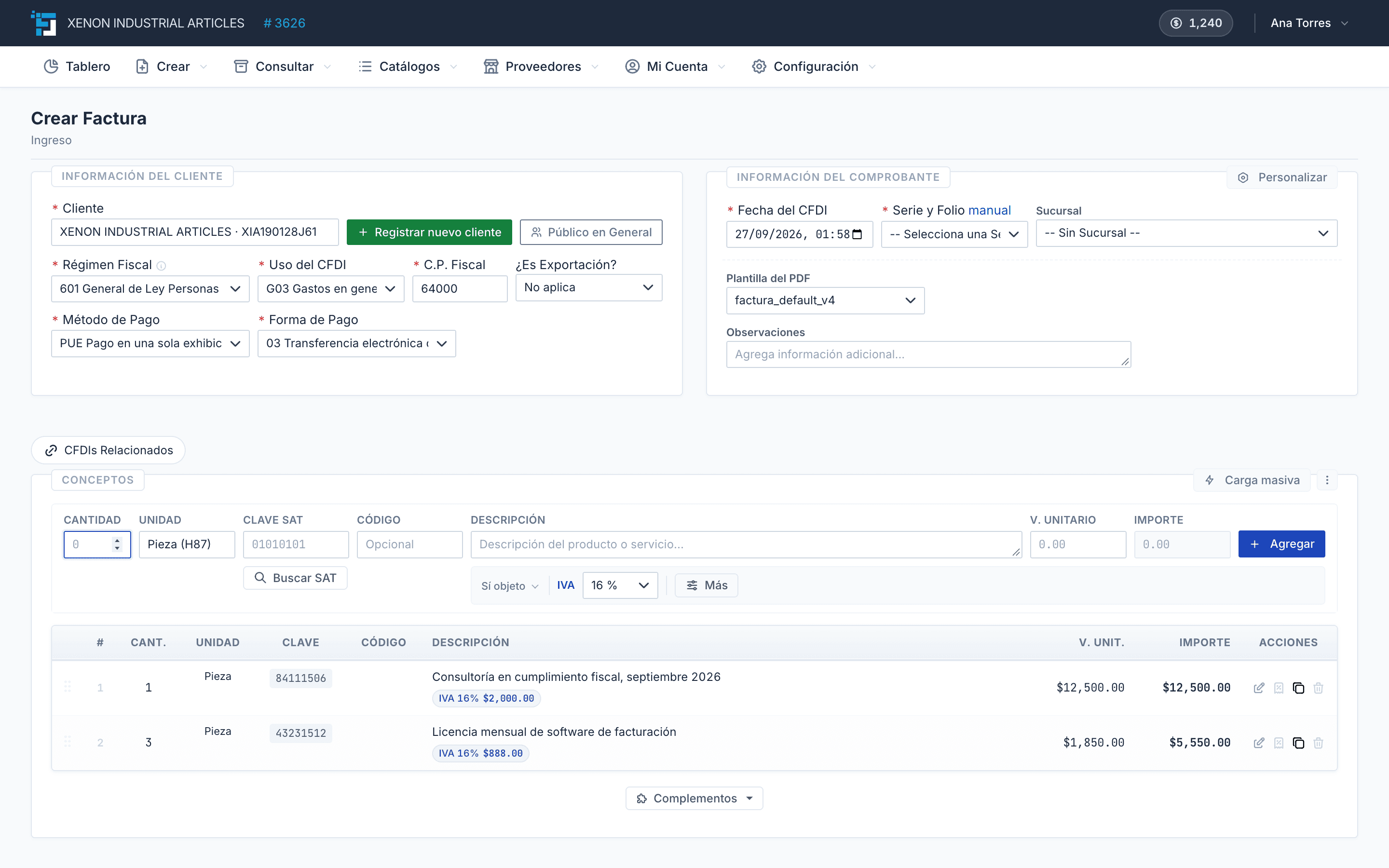
What is CFDI 4.0?
The Digital Tax Receipt over the Internet (CFDI) in its 4.0 version is the current electronic invoice format authorized by Mexico's Tax Administration Service (SAT). It fully replaces version 3.3, which was retired from the mandatory schema in April 2023.
A CFDI 4.0 is an XML file digitally signed with your Digital Seal Certificate (CSD) and stamped by an Authorized Certification Provider (PAC). Once stamped, it receives a UUID Tax Folio and becomes a valid tax document before the SAT.
The major change from 3.3 to 4.0 isn't the XML design but the validations: the SAT now requires that the RFC, legal name, postal code of the tax domicile, and tax regime of the recipient match exactly the current Tax Status Certificate.
Official CFDI 4.0 timeline
CFDI 4.0 was published in Annex 20 of the 2022 Tax Resolution and followed a staggered adoption schedule.
Its formal effective date was January 1, 2022, coexisting with version 3.3 during a transition period that the SAT extended several times. Universal mandatory use — that is, the definitive end of 3.3 — was set for April 1, 2023, for both income CFDIs and the Payment Reception Complement (REP 2.0) and Payroll CFDI 4.0.
- January 1, 2022 — CFDI 4.0 officially in effect.
- July 1, 2022 — First mandatory attempt (postponed).
- January 1, 2023 — Mandatory for payroll CFDI 4.0.
- April 1, 2023 — Universal mandatory: end of 3.3 and REP 1.0.
What changes in CFDI 4.0 vs 3.3
The differences between CFDI 3.3 and 4.0 focus on issuer and recipient data, new required fields, and automatic validations that didn't previously exist:
- Recipient legal name or trade name is mandatory (was optional before).
- Recipient's tax domicile postal code is mandatory.
- Recipient's Tax Regime is mandatory.
- CFDI use must be compatible with the recipient's tax regime.
- New 'InformacionGlobal' node for global invoices with periodicity.
- New 'Exportacion' and 'ObjetoImp' attributes per line item.
- New 'ACuentaTerceros' nodes for transactions on behalf of third parties.
- Validation against the recipient's Tax Status Certificate.
New SAT validations
If you issue a CFDI 4.0 and the recipient's data doesn't match their current Tax Status Certificate, the PAC will reject the stamping with specific error codes. The most frequent are:
- CFDI40147 — The recipient's RFC doesn't exist in the SAT's list of active non-canceled RFCs (LCO).
- CFDI40150 — The recipient's legal name doesn't match what's registered with the SAT.
- CFDI40161 — The recipient's postal code doesn't match their registered tax domicile.
- CFDI40162 — The recipient's tax regime doesn't match their registered Tax Status Certificate.
- CFDI40177 — The CFDI use isn't compatible with the recipient's tax regime.
Common errors when issuing CFDI 4.0
Most SAT rejections in CFDI 4.0 fall into three recurring patterns.
First, entering the customer's trade name instead of the legal name (for example, 'Carlos' instead of 'Carlos Hernández García'). The SAT requires the exact name as it appears on their Tax Status Certificate, including accent marks and without abbreviations.
Second, using a generic postal code (such as the branch location) instead of the postal code of the recipient's tax domicile. The SAT validates that the postal code is exactly the one the recipient has registered with their RFC.
Third, issuing with a 'CFDI Use' code that doesn't correspond to the recipient's tax regime. For example, a recipient under the Wages and Salaries regime cannot receive CFDIs with use 'G03 — General expenses'.
How to migrate from 3.3 to 4.0 without delays
If you're still issuing CFDI 3.3 internally (through legacy systems), migrating to 4.0 involves three steps.
Request each customer's updated Tax Status Certificate and capture the four critical fields: RFC, exact legal name, tax domicile postal code, and tax regime. Update them in your customer catalog.
Verify that your system or PAC already supports CFDI 4.0 and that the SAT catalogs (CFDI uses, tax regimes, payment methods) are up to date.
Run tests in a sandbox environment before issuing in production. A single CFDI with incorrect data can lead to cancellations and subsequent credit notes.
How Factura Digital implements CFDI 4.0
In Factura Digital you issue CFDI 4.0 from the browser or via API, with the SAT catalogs built in.
When you add a new customer, you can upload their tax status certificate: the system reads their RFC, queries the SAT live and fills in the tax data that CFDI 4.0 requires to match. It rejects certificates older than six months and inactive taxpayers.
If you need to issue CFDI 4.0 from your own system, the stamping API takes the data as JSON, builds the XML according to Annex 20, seals it with your CSD and stamps it with the PAC. You don't have to build the XML.
