What is the Payment Reception Complement?
The Payment Reception Complement (REP) is a CFDI complement defined by the SAT to document the payments a taxpayer receives for invoices previously issued with payment method PPD (Payment in Installments or Deferred).
Its logic stems from a tax problem: when you issue an invoice on credit, the SAT doesn't know when the customer pays you. Without that information, it cannot determine the exact moment of VAT accrual or income recognition. The REP fills that gap: for each payment received, you issue a receipt that links to the original CFDI and declares the amount received.
When is the REP issued?
It's issued whenever a payment is received for a CFDI issued with:
- Payment method PPD (Payment in Installments or Deferred).
- Payment form '99 — To be defined' on the original CFDI.
- Any partial or total collection on that invoice, regardless of method (transfer, check, cash, card).
Legal deadline to issue REP
The legal deadline to issue the REP is no later than the fifth calendar day of the month immediately following the month in which the payment was received. For example, if you receive a payment on March 12, you must issue the REP no later than April 5.
Issuing REP outside that deadline doesn't prevent technical stamping, but is considered a violation of invoicing obligations and can result in fines during an SAT audit.
Version 2.0 vs version 1.0
REP 2.0 has been mandatory since April 1, 2023 (at the same time as CFDI 4.0). The main changes from version 1.0 are:
- New 'Totales' nodes at the document level with breakdown of transfer and withholding taxes.
- Mandatory tax object attributes (ObjetoImpDR) per related document.
- Precision validations on amounts: exactly two decimals.
- Cross-validation of the related CFDI's UUID against the SAT records.
- Mandatory exchange rate when payment is not in Mexican pesos.
How to issue a REP step by step
To issue a valid Payment Reception Complement:
Step 1: Identify the original CFDI you're going to 'pay'. You need its UUID, total amount, currency, installment number, and previous balance.
Step 2: Capture the date and time of payment, the actual payment form (transfer, check, cash, card, etc.), and the amount paid in that exhibition.
Step 3: If the payment covers several invoices, add a 'DoctoRelacionado' node for each UUID being paid, with its partial amount.
Step 4: If the payment is in foreign currency, capture the exchange rate published by the Bank of Mexico for the payment date.
Step 5: Stamp the REP with your PAC. The receipt inherits the recipient data from the original CFDI and is associated automatically.
Special cases: partial payments, advances, and refunds
The REP has several particular scenarios worth knowing:
- Partial payment — Issue a REP for the amount received. The pending balance is updated for the next payment.
- Payment of several invoices in a single exhibition — A single REP with multiple DoctoRelacionado, one for each UUID.
- Payment in foreign currency — Capture the exchange rate of the payment day. If the original invoice was also in foreign currency, both exchange rates must match or the difference must be documented.
- Advances — If you received an advance before issuing the final invoice, that advance requires its own Income CFDI with method PUE, not a REP.
- Refunds — If you refund a payment already received and applied via REP, you must issue an Expense CFDI (credit note) referencing the original receipt.
- Zero-balance collection — If a customer pays $0 (for example, a 100% discount applied), no REP is issued: a credit note is issued on the original CFDI.
Common errors when issuing REP
The most frequent errors PACs detect when stamping a REP are:
- Issuing REP for a CFDI that was issued with method PUE (doesn't apply).
- Entering an amount paid greater than the pending balance of the related CFDI.
- Forgetting the exchange rate when payment is in foreign currency.
- Decimal precision errors (a one-cent difference breaks the validation).
- Issuing the REP after the deadline (after the fifth day of the month following the collection).
How you issue the REP in Factura Digital
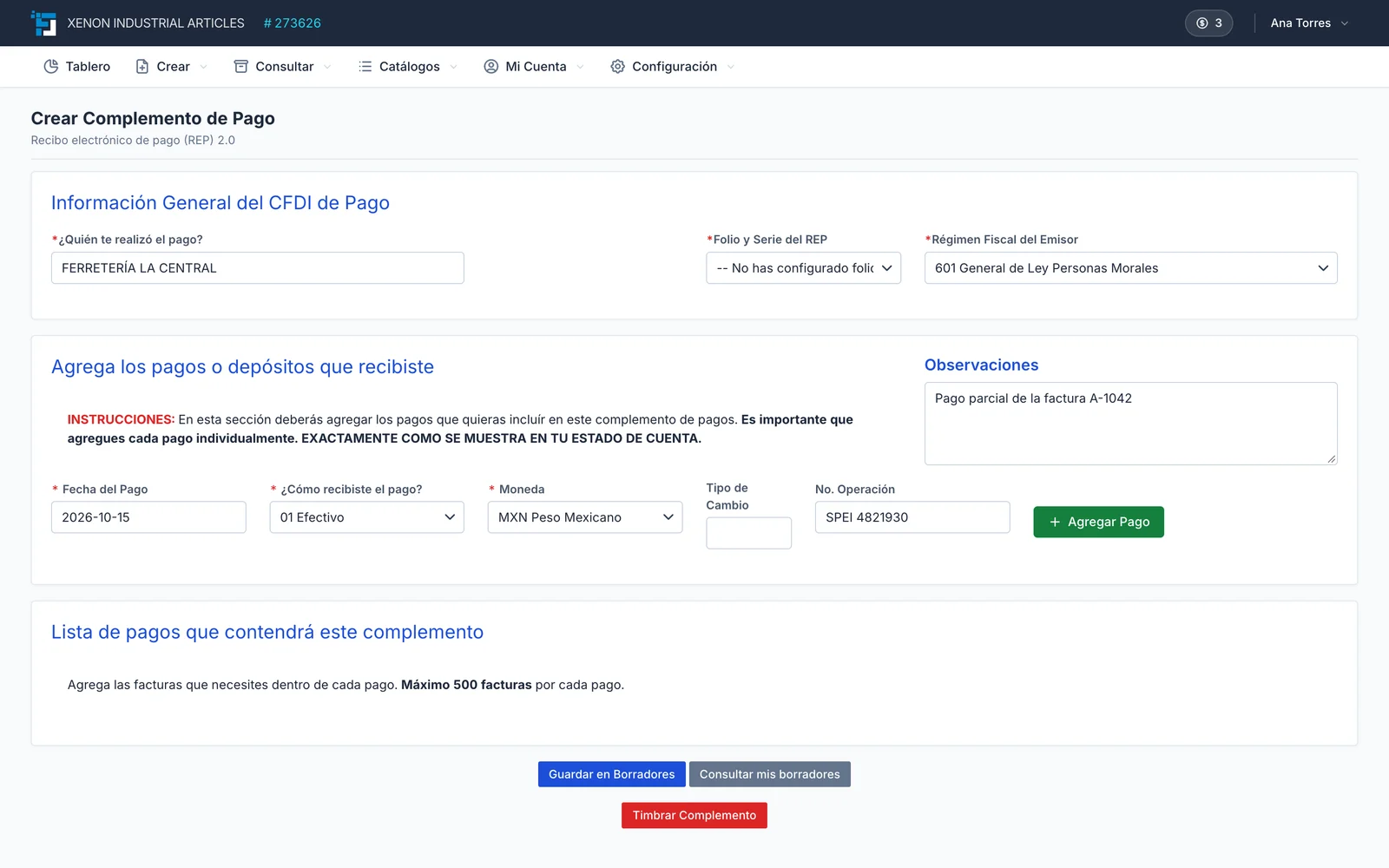
In Factura Digital, collections live in your list of issued invoices. You record the full or partial payment of a PPD invoice and, in the same step, you can stamp its payment complement with the related UUID, amounts, taxes and previous and outstanding balances.
If a customer paid several invoices in one deposit, you create a single REP that relates all of them. The dashboard shows overdue and upcoming receivables, and the payments report tells you which invoices already have a complement.
