What is the Carta Porte Complement?
The Carta Porte Complement is a CFDI annex published by the SAT that covers the transport of goods across Mexican territory, by federal motor transport, rail, sea, or air. It has been in use since January 1, 2022 as part of the fight against smuggling and false invoicing in transportation.
The complement isn't a standalone document: it always rides within a main CFDI. There are two modalities, depending on who performs the transport and whether they charge for the service.
Who must issue Carta Porte?
There are two clearly differentiated roles, and issuing the wrong modality is one of the most frequent errors:
- Income CFDI with Carta Porte Complement — Issued by the carrier that charges for the transport service to a customer. The CFDI documents the freight income and the complement covers the goods transported.
- Transfer CFDI with Carta Porte Complement — Issued by the owner of the goods when transporting their own goods (between their own facilities, toward a customer they sold free on board, toward a warehouse or distribution center) without hiring a carrier that invoices freight.
- Courier and parcel services — Also require Carta Porte when transporting goods on behalf of third parties.
Version 3.1: what changes vs 3.0
The SAT published version 3.1 of the Carta Porte Complement in 2024 as an evolution of 3.0 (in effect since November 2023). The changes between 3.0 and 3.1 are minor in structure but significant in validations.
- Stricter validations on distance traveled when segments are declared.
- Adjustments to the c_ClaveUnidadPeso catalog for weight units of measure.
- Optional fields that became required in specific scenarios (hydrocarbon transport, hazardous waste).
- Improved handling of transport roles when there's more than one operator.
- Cross-validations between origin, destination, and postal code.
Structure of the Carta Porte 3.1 Complement
A CFDI with Carta Porte 3.1 contains several mandatory nodes that the SAT validates at the time of stamping:
- General attributes — Version, TranspInternac (if crossing a border), TotalDistRec (total distance).
- Locations — Origin and destination with RFC, postal code, date and time of departure or arrival.
- Goods — Transported good, weight, quantity, product/service code, and where applicable tariff fraction and hazardous material.
- Motor transport — SCT permit, vehicle data (plate, year, vehicle configuration), and trailers if applicable.
- Transport role — RFC and type of role (operator, owner, lessee, or notified party).
How to issue Carta Porte 3.1 step by step
The process to issue a CFDI with Carta Porte 3.1 always follows the same sequence, regardless of PAC or system.
Step 1: Decide whether it's an Income CFDI (you charge freight) or a Transfer CFDI (you move your own goods). It's a decision you cannot correct without canceling.
Step 2: Capture the origin (sender's RFC, postal code, date and time of departure) and destination (recipient's RFC, postal code, estimated date and time of arrival).
Step 3: Capture the goods: SAT code, description, quantity, unit of measure, weight in kilograms, and if the product is regulated, tariff fraction and hazardous material with its UN number.
Step 4: Capture the motor transport (or air, sea, or rail transport that applies) data: SCT permit, vehicle data, and operator role.
Step 5: Stamp the CFDI with your PAC. If all data is consistent with the SAT catalogs, you'll receive the UUID and the printed representation with the complement's QR code.
Common errors and fines
Inconsistencies in Carta Porte can result in SAT fines and, worse, in delay or retention of goods by federal transit authorities. The most common errors are:
- Issuing a Transfer CFDI when it should have been Income (or vice versa).
- Entering the branch's postal code instead of the actual postal code of the tax domicile of origin or destination.
- Declaring weight or quantity in units different from the c_ClaveUnidadPeso catalog.
- Omitting the SCT permit on federal motor transport.
- Failing to declare the goods as hazardous material when they are (risk of additional environmental sanction).
How you do Carta Porte 3.1 in Factura Digital
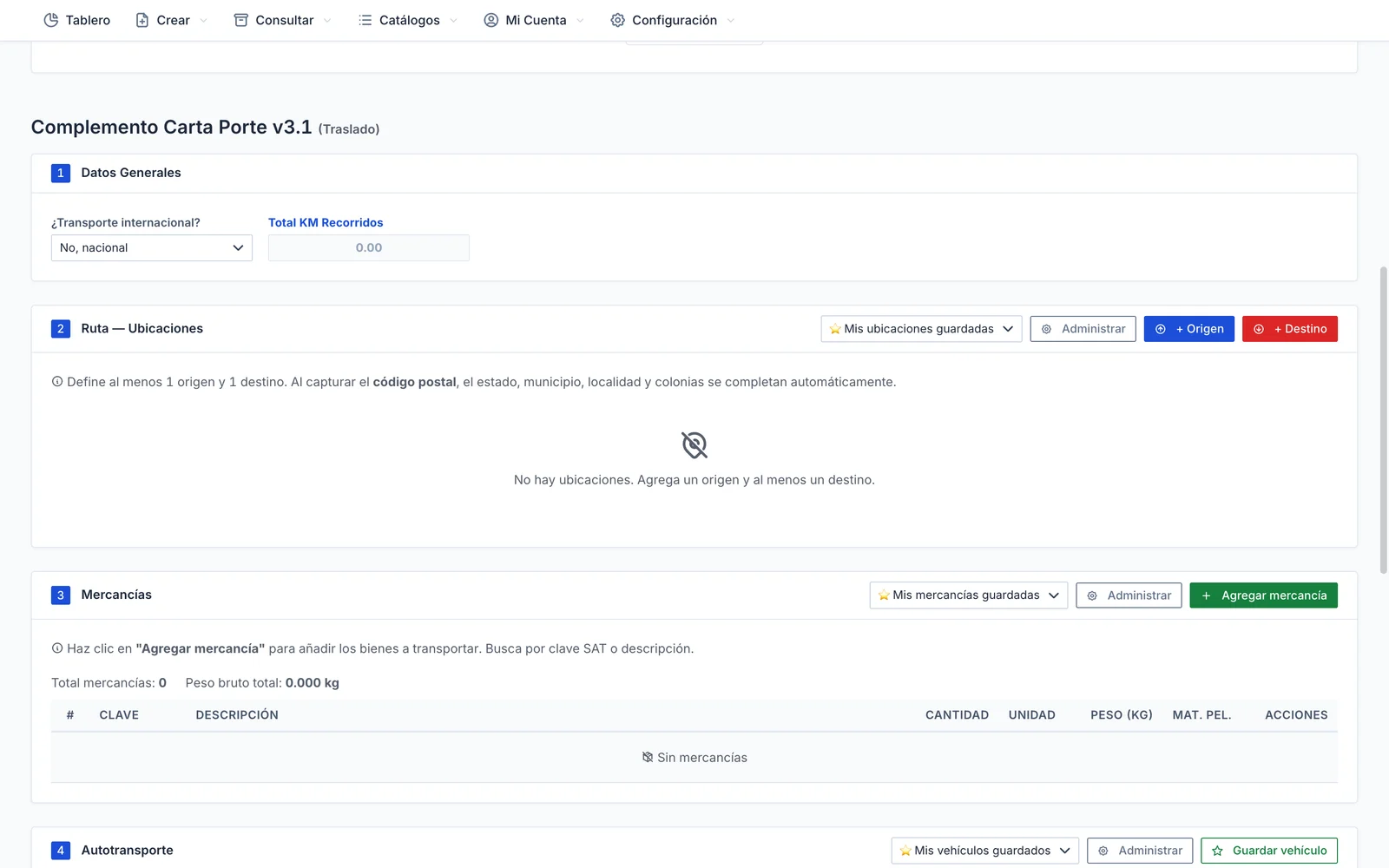
In Factura Digital, Carta Porte 3.1 has the official SAT catalogs built in (product codes, units, tariff codes, hazardous materials, vehicle configurations) and the IdCCP is generated automatically.
The screen walks you through locations, goods, road transport and transport parties, with a live checklist. SAT rules are checked before stamping and, if something fails, the error is explained in plain Spanish.
To avoid retyping, save locations, goods, vehicles and transport parties as favorites, per customer or for everyone. If you have high volume, you can also issue it via API.
